
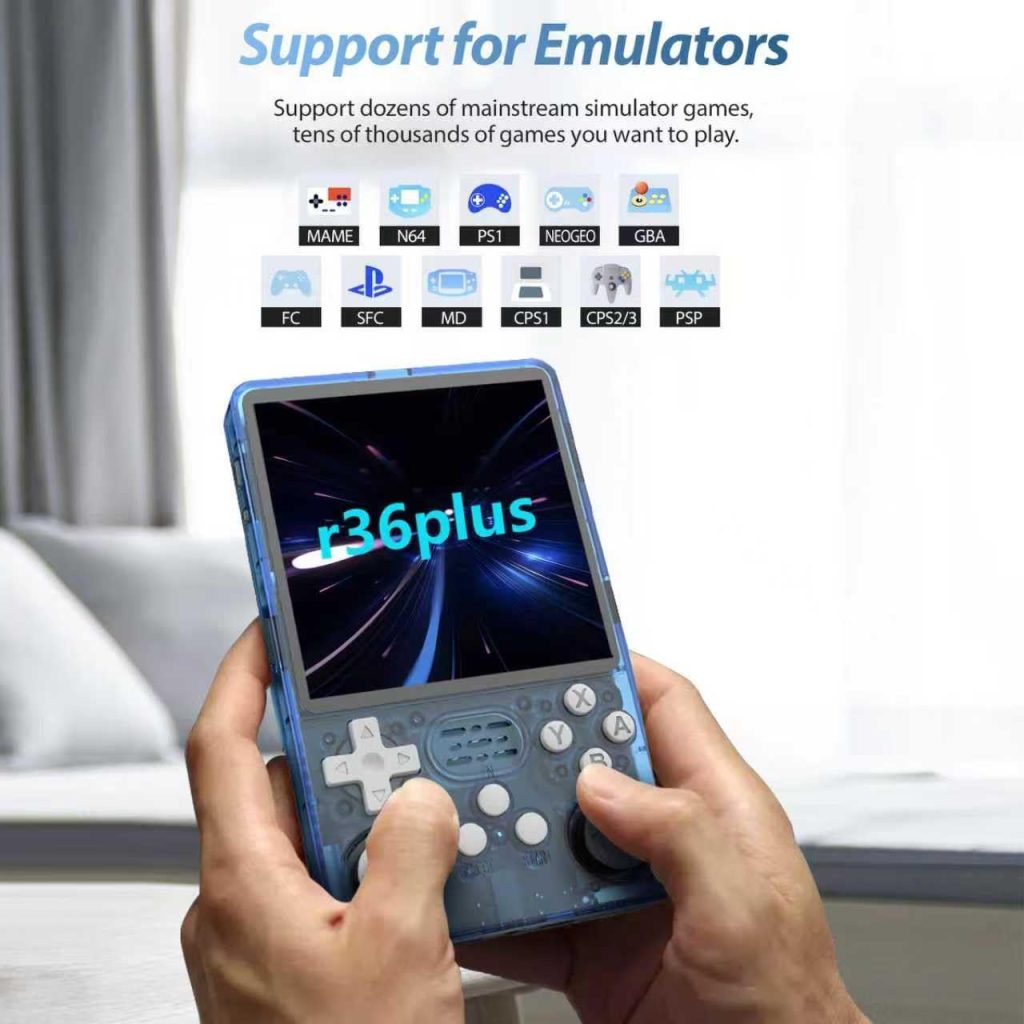
R36S Plus: The Square-Screen Handheld That Actually Gets Updates
In the budget retro handheld world, software support often dies the moment you click “buy.” Manufacturers move on to their next device, firmware stagnates, and you’re left with whatever worked on day one.
The R36S Plus is different. With dedicated ArkOS support and an active development community, this square-screen handheld isn’t just functional today — it’s built for the long haul.
The Support Problem in Budget Handhelds
Most budget handhelds follow a predictable lifecycle:
Clone devices like the R36 Pro and R36 Ultra start at step 4 — they never had official support to begin with. They rely on arkos4clone, a community workaround for K36 clone devices.
The R36S Plus? It has its own ArkOS R3XS build. It’s at step 2, with active development, and shows no signs of moving to step 3.
What “Dedicated Support” Actually Means
ArkOS R3XS: Built for the R36S Plus
When ArkOS developers release an update, they compile a specific version for the R36S Plus. This means:
| Benefit | What It Means for You |
|---|---|
| Device-specific testing | Updates work properly on your hardware |
| Optimised performance | Emulators tuned for your screen and processor |
| Correct configurations | Button mappings, display scaling, audio settings all correct |
| Bug fixes that matter | Issues specific to your device get addressed |
| New features included | You get everything, not a “maybe works” subset |
Compare to arkos4clone
The clone firmware used by R36 Pro and R36 Ultra is:
| Reality | What It Means for Clone Users |
|---|---|
| Generic builds | May or may not work on your specific hardware revision |
| Volunteer maintenance | Updates when someone has time (if ever) |
| Adaptation issues | Features may be broken or missing |
| Low priority bugs | Device-specific issues rarely fixed |
| Version limitations | R36 Ultra only supports V1 — newer revisions unsupported |
The R36S Plus Firmware Ecosystem
One of the strongest arguments for the R36S Plus is the variety of well-supported firmware options:
Primary Options
| Firmware | Description | Status |
|---|---|---|
| ArkOS R3XS | Official ArkOS build, full feature set | Actively maintained |
| MyMinUI | Minimalist interface, fast boot | Supported |
| plumOS | Alternative CFW with unique features | Supported |
| AndR36oid | Android-based for different use cases | Supported |
| dArkOS | Dark-themed ArkOS variant | Supported |
Why Multiple Options Matter
Different firmware serves different needs:
- ArkOS R3XS — Best all-around experience, most features
- MyMinUI — Perfect if you want simplicity and fast game access
- plumOS — Worth trying if you want something different
- AndR36oid — Android apps and games beyond emulation
Having choices means your device adapts to you, not the other way around.
Update Frequency: R36S Plus vs Clones
Let’s look at what “support” actually looks like in practice:
R36S Plus (ArkOS R3XS)
- Regular ArkOS updates adapted for the device
- Bug fixes targeting device-specific issues
- New emulator cores added and optimised
- RetroAchievements updates and improvements
- Performance optimisations for the RK3326 + 720×720 screen combo
R36 Pro/Ultra (arkos4clone)
- Updates when community volunteers have time
- Generic K36 builds that “should” work
- Bug reports often go unaddressed
- Limited testing on actual hardware
- R36 Ultra V1 only — V2+ hardware may have no support
Real User Experience
Setting Up a New Firmware
R36S Plus:
- Download ArkOS R3XS from official source
- Flash to SD card
- Boot and play — everything configured correctly
R36 Pro/Ultra:
- Find arkos4clone download (not always obvious)
- Hope it’s for your hardware revision
- Flash to SD card
- Boot and discover what works and what doesn’t
- Spend hours troubleshooting
When Something Breaks
R36S Plus:
- Report issue on ArkOS channels
- Developers can reproduce on supported hardware
- Fix arrives in next update
R36 Pro/Ultra:
- Report issue… somewhere?
- No guarantee anyone can reproduce it
- Fix may never come
- “Just buy a different device” is common advice
The 720×720 Screen: Supported Properly
The R36S Plus features a 4-inch 720×720 display — a unique 1:1 aspect ratio that’s excellent for:
- Vertical arcade games
- Nintendo DS (side-by-side screens)
- SNES and retro console gaming
But a good screen means nothing without proper software support.
ArkOS R3XS is configured specifically for the 720×720 display:
- Correct scaling options
- Proper shader support
- Optimised bezels and overlays
- Perfect pixel rendering for supported resolutions
Clone devices with the same screen resolution may have:
- Generic scaling (not optimised)
- Shader compatibility issues
- Misconfigured display options
- Trial-and-error setup required
Future-Proofing Your Purchase
Consider where you’ll be in 12-24 months:
With an R36S Plus
- Latest ArkOS with all new features
- New emulator cores working properly
- Active community creating themes, configs, guides
- Device still recommended and supported
- Your investment still valuable
With an R36 Pro/Ultra
- arkos4clone may or may not still be maintained
- New features may not work on your clone
- Community moved on to other devices
- Device explicitly “not recommended”
- Essentially a paperweight with a screen
The Community Factor
Supported devices have thriving communities. Clones… don’t.
R36S Plus Community Resources
- Active Discord channels
- Reddit discussions
- YouTube tutorials and setup guides
- Theme and configuration sharing
- Troubleshooting help available
R36 Pro/Ultra Community
- Scattered information
- “Just buy something else” advice
- Limited troubleshooting help
- Few dedicated resources
- Often confused with other K36 clones
Cost Comparison
Here’s the kicker: these devices cost roughly the same.
You’re not saving money by buying a clone. You’re just getting less.
The Bottom Line
The R36S Plus isn’t just a device — it’s an investment in:
The clones offer:
- Workaround firmware
- Uncertain update schedule
- Generic configurations
- Limited help resources
- Potential hardware revision incompatibility
- Short-term viability only
For the same price, why would you choose abandonment over support?
Further Reading
- R36 Plus on Handhelds Wiki — See the dedicated firmware options
- R36 Pro on Handhelds Wiki — “Not recommended”
- R36 Ultra on Handhelds Wiki — Limited clone support
Happy gaming!